
Can You Become a Webflow Developer Without Coding Skills?
Blog
If you’re looking into a Webflow career, chances are you’ve already wondered if you can become a Webflow developer without knowing how to code. You are not alone! This question comes up in every Webflow community, Reddit thread, and portfolio-building group.
The short answer? Yes, you can.
The complete and honest answer? Yes, but you’ll need to develop the right kind of skills, and over time you might have to get into coding.
Webflow is often described as a no‑code platform, and that’s true to an extent. You can design, build, and launch complete websites without writing a single line of code. Many people land their first Webflow job this way. But there are still a lot of misconceptions about what “no-code” actually means. Under the hood, everything you build is still powered by HTML, CSS, and JavaScript.
Let’s walk through what it really takes to become a Webflow developer and what it means for your career.
What Does a Webflow Developer Actually Do?
Unlike traditional web developers, a Webflow developer is someone who builds websites using Webflow’s visual development tools. Instead of writing code manually, you design layouts, structure content, and create interactions through Webflow platform that generates clean code for you in the background.
Webflow developers typically:
- Build responsive websites
- Design user interfaces without templates
- Structure content using Webflow’s CMS (Content Management System)
- Creating animations and interactions
- Optimizing performance
- Publishing and maintaining websites
- Integrating third‑party tools
In other words, you’re still building but you’re not coding line-by-line. You’re using a visual interface to create layouts, organize content, and control design logic.
However, calling Webflow a “no‑code” tool can be misleading, which we’ll talk about in the next few sections.
What Webflow Says About No-Code
Even Webflow’s own team has addressed the common myths around no-code. In their article, “Misconceptions of No-Code”, they explain:
“No-code platforms allow you to build software faster but they still require knowledge, context, and creativity.”
This is a critical point. So, instead of thinking of Webflow as a no-code tool, it is more accurate to think of it as hide‑code tools.
You are still building with code. You just don’t see it.
Webflow automatically generates HTML, CSS, and JavaScript for every site you create. That code still determines performance, accessibility, responsiveness, and browser compatibility. And most importantly, you are responsible for its quality, even if you didn’t write it manually.
That also means Webflow isn’t just a beginner tool. Many professional agencies and startups use Webflow to power full-scale, scalable websites.
In fact, Webflow powers over 3.5 million websites, including clients like Dell, Rakuten, TED, and Dropbox.
Is Webflow 100 Percent No‑Code?
No.
Webflow allows you to design a complete website without coding. But don’t get confused assuming that if you're not coding, you're not doing “real” development work.
Other than having a strong foundation in:
- Visual hierarchy and spacing
- Responsive design principles
- Typography and color theory
- Website structure and page flow
- Accessibility and performance optimization
As a developer who wants more control, personalization, and optimization, you will require coding. Especially when it comes to implementing advanced features or when you go beyond standard use cases.
Some use cases include:
- Use CMS for dynamic content
- Create animations and interactions
- Optimize SEO settings
- Host and publish sites
Entry‑Level Webflow Jobs Without Coding
Many entry‑level and junior Webflow roles focus on:
- Visual layout
- CMS management
- Content updates
- Landing pages
- Basic interactionns
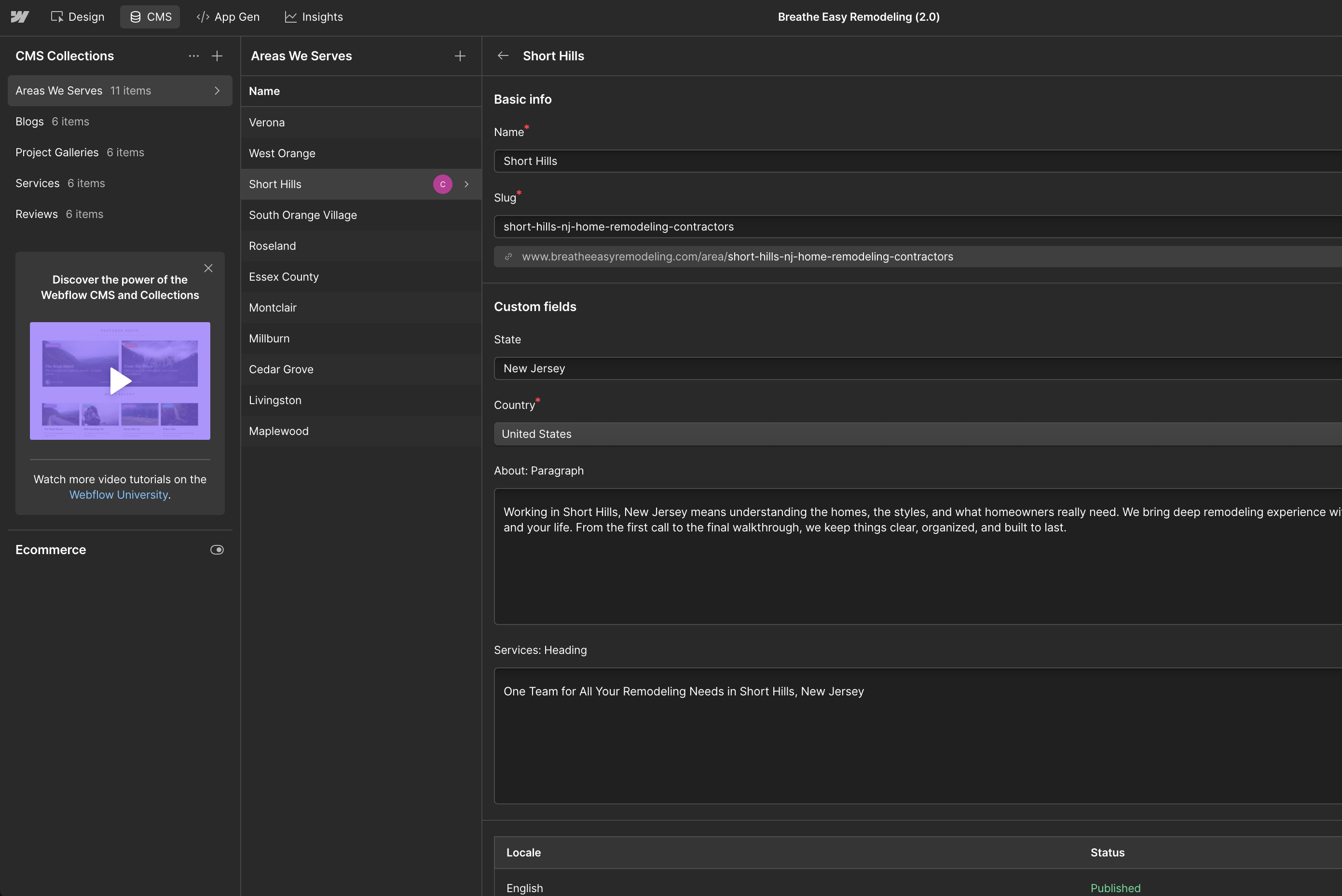
At this stage, you do not need deep knowledge of HTML, CSS, or JavaScript. Understanding how Webflow works visually is enough to deliver value.
This is why no‑code Webflow jobs exist and why so many designers transition into Webflow successfully.
If your goal is to:
- Build a portfolio
- Freelance
- Work in marketing teams
- Get your first Webflow role
So, the real question here is can you get a job without knowing code?
Yes, in short, for an entry-level and beginner level role you can start without code.
But this is not where the story ends.
When Does Coding Become Important in Webflow?
As you grow, your expectations grow. So do client expectations.
To be considered an outstanding Webflow developer and outrank your competitors, coding knowledge becomes important. Not expert‑level, but functional and practical.
At a minimum, a professional Webflow developer is expected to:
Understand HTML and CSS Well
You do not need to write them from scratch every day, but you must understand:
- Semantic HTML structure
- How CSS layouts work
- Flexbox and grid concepts
- Responsive behaviour
- CSS limitations and workarounds
This knowledge helps you build cleaner, more maintainable Webflow projects and avoid common mistakes.
Have Basic to Mid‑Level JavaScript Knowledge
JavaScript is where Webflow’s limits begin to show.
You are expected to understand:
- Basic logic
- DOM manipulation
- Event handling
- Simple calculations
- Reading and modifying elements
This level of JavaScript is enough to:
- Add custom interactions
- Modify Webflow behaviour
- Implement features that Webflow does not support natively
At this stage, you are no longer just a visual builder. You are extending Webflow.
Where Custom Code Is Commonly Used in Webflow?
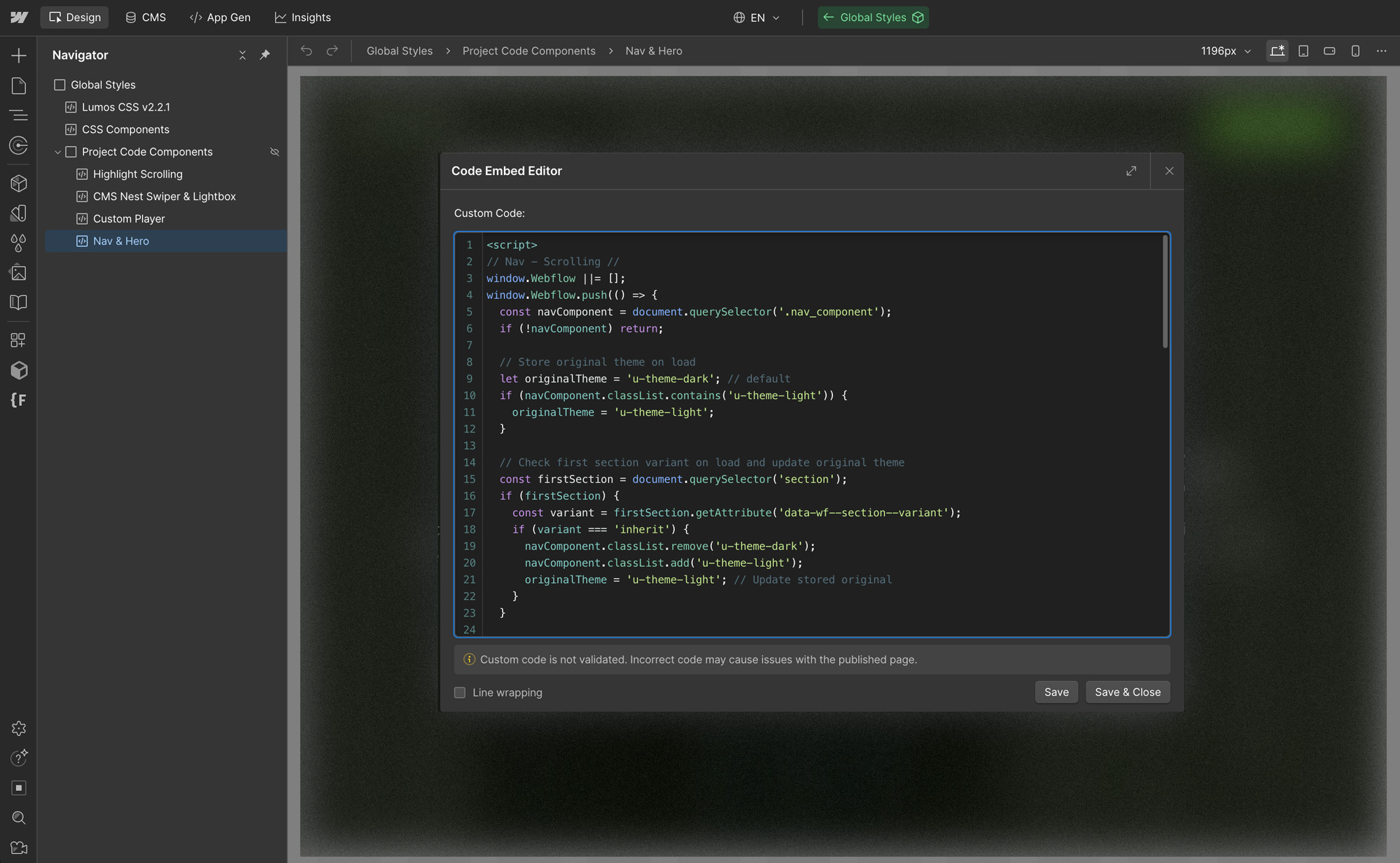
Webflow automatically generates code, but it also allows you to add your own HTML, CSS, and JavaScript.
This is often required for advanced functionality such as:
Advanced Interactions and Animations
Webflow’s interaction panel is powerful, but it has limits.
Custom code is often used to:
- Create advanced image carousels with specific transitions
- Add typewriter or text‑reveal effects
- Build scroll‑based animations beyond native interactions
- Create dynamic counters or real‑time displays
Many developers also work with animation libraries like GSAP for smoother and more complex motion. Mastering this requires comfort with writing animation code.
Third‑Party Tool and API Integrations
Webflow supports many no‑code integrations, but advanced setups often require code.
Examples include:
- Connecting external databases
- Custom payment flows outside Webflow Ecommerce
- Automations using the Webflow API
- Real‑time content updates from external services
This work is still part of the Webflow ecosystem, but it happens partially outside the visual editor.
Want to learn how to get one of these jobs? Read: How to Land Your First Webflow Designer Job
The Advanced Level: Standing Out as a Webflow Developer
This is where Webflow becomes a hybrid platform, not just a no‑code.
At higher levels, developers work on:
- Performance optimization
- Proxies and caching strategies
- API‑driven content systems
- Web app‑like behaviour
- Complex logic flows
These skills are not strictly Webflow skills. They are web development skills applied to Webflow projects. They are a valuable add-on; especially if you’re aiming for senior roles or want to increase your freelance rates.
This is also where salaries increase and competition drops significantly.
As one Reddit user put it:
You don’t need code to get started. But understanding it gives you superpowers.”
If you’re new, don’t worry about it yet. Focus on learning Webflow first. Add code later if you want more control.
Skills That Matter More Than Code
Here’s what clients and hiring managers look for in a Webflow developer without coding:
1. Visual Layout and Spacing
Understanding structure is critical. Sections, containers, padding, margin, grids — all of it affects how clean and professional your site looks.
2. CMS Knowledge
Being able to set up dynamic content (like blog posts, portfolios, team members) is a huge value add. It helps sites scale.
3. Responsive Design
Websites must look good on mobile, tablet, and desktop. Webflow makes this easy — if you know what to look for.
4. Interactions and Animations
Even light motion (fade-ins, hover effects, scroll triggers) makes a site feel polished. These can all be done no-code in Webflow.
AI and Coding in the Webflow Ecosystem
AI tools like ChatGPT, Claude and more are changing how developers learn and work with code.
You can use AI to:
- Understand what a script does
- Modify JavaScript snippets safely
- Debug simple issues
- Learn best practices faster
AI does not remove the need to understand code. It helps you learn it faster and apply it more confidently.
Used correctly, AI becomes a learning partner, not a replacement for knowledge.
How Much Coding Do You Actually Need?
Here is a realistic breakdown:
| Role | Coding Skill Level |
|---|---|
| Beginner Webflow roles | No coding required |
| Professional Webflow developer |
Strong HTML and CSS understanding Basic to mid-level JavaScript |
| Advanced Webflow specialist |
Confident JavaScript APIs and integrations Performance optimization Optional animation libraries |
You do not need to become a software engineer. But you do need to understand how the web works.
Best Resources to Learn the Right Way
One of the best starting points is Webflow University.
Their Webflow 101 content introduces HTML and CSS concepts with a strong emphasis on how code works behind the scenes. It bridges the gap between visual building and real development.
Other helpful paths include:
- Reverse‑engineering Webflow cloneables
- Studying real Webflow projects
- Gradually adding custom code to existing builds
- Learning JavaScript specifically for browser behaviour
Final Thoughts
Webflow lets you start without coding. That’s its strength.
But websites still run on code and that won’t change.
As Webflow says:
“No-code doesn’t mean no-thought ; it means you can focus more on your ideas and less on your syntax.”
So, if you’re ready to start building — go for it.
So yes, you can become a Webflow developer without coding skills. But if you want to stand out, charge more, and work on advanced projects, learning the fundamentals of code will set you apart. Not everything; just enough to build better.
And that balance is exactly what makes Webflow powerful.
Ready to take the next step? Whether you’re starting out with no-code or diving deeper into custom development, explore hundreds of job openings at Webflow.jobs. You can apply for roles or join the community and get featured as a Webflow designer. Your next opportunity might already be waiting.