
Motion Design for Webflow: Why Animation Specialists Are In Demand
Blog
Motion designers specializing in Webflow earn $70,000-$120,000 annually and are among the fastest-growing roles in the web design industry. These specialists create scroll-triggered animations, Lottie integrations, GSAP-powered transitions, and Webflow native interactions that transform static websites into engaging, conversion-driving experiences. Demand for Webflow motion designers has increased 85% since 2024 as brands prioritize interactive storytelling.
Static websites no longer compete effectively for user attention. Research from the Nielsen Norman Group shows that users form opinions about a website within 50 milliseconds, and motion design is one of the most powerful tools for creating positive first impressions. As Webflow continues to expand its interaction capabilities, the gap between "good" Webflow sites and "exceptional" ones increasingly comes down to animation quality. This guide explores what motion designers do on Webflow projects, the tools they use, salary expectations, and why this specialization is becoming essential for teams building competitive websites.
What Motion Designers Do on Webflow Projects
Motion designers on Webflow projects bridge the gap between visual design and interactive experience. Their work goes far beyond adding decorative animations—they create purposeful motion that guides users, communicates brand personality, and improves conversion metrics.
Webflow Native Interactions
Webflow's built-in interaction system allows motion designers to create scroll-triggered animations, hover effects, page transitions, and element-based triggers without writing code. Skilled motion designers use these tools to build complex animation sequences that feel smooth and intentional. Typical implementations include parallax scrolling effects, reveal animations as content enters the viewport, dynamic navigation transformations, and micro-interactions on buttons and form elements.
A motion designer's value here is not just technical—it is creative. Anyone can add a fade-in animation. A motion designer understands timing curves, easing functions, stagger sequences, and spatial relationships that make animations feel polished rather than amateur. According to a 2025 study by Forrester Research, websites with professional-quality animations see 23% higher engagement rates and 15% longer session durations compared to static alternatives.
Lottie Animation Integration
Lottie is a lightweight animation format that renders After Effects animations in real-time on the web. Motion designers create complex vector animations in After Effects, export them as Lottie JSON files, and integrate them into Webflow using embed elements or the native Lottie component. This workflow enables animation quality that would be impossible with CSS alone—character animations, icon morphing, loading sequences, and illustrated storytelling.
Lottie files are typically 10x smaller than equivalent GIF files and scale without quality loss, making them ideal for performance-conscious Webflow projects. A single Lottie animation that would be 2MB as a GIF loads at 200KB or less. This performance advantage is critical as Core Web Vitals increasingly influence both user experience and SEO rankings.
GSAP (GreenSock Animation Platform)
For animations that exceed Webflow's native capabilities, motion designers work with GSAP—the industry-standard JavaScript animation library. GSAP enables scroll-linked animations with ScrollTrigger, complex timeline-based sequences, SVG path animations, text splitting and character-level effects, and physics-based motion. Webflow developers implement GSAP through custom code embeds, but motion designers define the creative direction, timing, and choreography. The collaboration between motion designer and Webflow developer on GSAP implementations is one of the most productive partnerships in modern web design.
Rive for Real-Time Interactive Animations
Rive is emerging as a powerful alternative to Lottie for Webflow projects. Unlike Lottie, which plays pre-rendered animations, Rive animations respond to user input in real time—cursor movement, scrolling, clicks, and even device orientation. Motion designers use Rive to create interactive mascots, dynamic data visualizations, gamified UI elements, and responsive illustrations. Rive's runtime is lightweight (under 100KB) and integrates with Webflow through embed code. Adoption of Rive in Webflow projects grew 120% in 2025 as designers discovered its capabilities for creating memorable, interactive experiences.
Salary and Compensation for Webflow Motion Designers
Motion design is a premium skill in the Webflow ecosystem, and compensation reflects this specialization.
| Experience Level | Full-Time Salary | Freelance Rate |
|---|---|---|
| Junior (0-2 years) | $55,000-$75,000 | $40-$65/hr |
| Mid-Level (2-4 years) | $75,000-$100,000 | $65-$95/hr |
| Senior (4+ years) | $100,000-$130,000 | $95-$150/hr |
| Lead/Director | $120,000-$160,000 | $130-$200/hr |
These figures represent US-based compensation. International salaries vary by region but follow similar patterns relative to local markets. The salary premium for motion design specialization over general Webflow design is 20-35%, reflecting the additional skill set required.
Freelance motion designers working on Webflow projects often structure pricing by project rather than hourly rate. A homepage animation package (hero section, scroll animations, micro-interactions) typically ranges from $3,000-$8,000 depending on complexity. Full-site animation packages for 5-10 page websites range from $8,000-$25,000. These project rates often translate to effective hourly rates above $100/hour for efficient motion designers.

How Motion Designers Collaborate with Webflow Developers
The motion designer-developer collaboration is one of the most important workflows in professional Webflow projects. Understanding how this partnership functions helps both specialists and hiring managers build effective teams.
The Handoff Process
Motion designers typically work in parallel with Webflow developers, not sequentially. While the developer builds the site structure, CMS, and responsive layouts, the motion designer creates animation concepts in tools like After Effects, Figma (with motion plugins), or Rive. The handoff involves animation specifications—timing values, easing curves, trigger points, and asset files (Lottie JSONs, SVGs, sprite sheets).
Well-organized motion designers provide developers with detailed animation specs: "This element fades in over 600ms with an ease-out curve when it enters the viewport at 20% visibility. It translates Y from 40px to 0px simultaneously." This precision eliminates guesswork and reduces implementation time by 40-60% compared to vague creative direction.
Native vs. Custom Code Decisions
A key collaboration point is deciding which animations to implement natively in Webflow and which require custom code. Native Webflow interactions are easier to maintain but limited in complexity. GSAP or Lottie implementations offer unlimited creative possibilities but require code management. Experienced motion designer-developer pairs develop intuitive frameworks for making these decisions quickly, balancing creative ambition with maintenance practicality.
Performance Optimization
Motion designers must consider performance implications from the start. Excessive animations degrade Core Web Vitals scores, increase load times, and frustrate users. The best motion designers design with constraints in mind: limiting simultaneous animations to 3-4 elements, using CSS transforms (translate, scale, opacity) instead of layout-triggering properties, and testing animations on low-powered devices. Sites with optimized animations load 30% faster than those with unoptimized motion, according to Google's Web Vitals data.
Essential Tools for Webflow Motion Designers
The motion designer's toolkit for Webflow projects combines traditional animation software with web-specific tools.
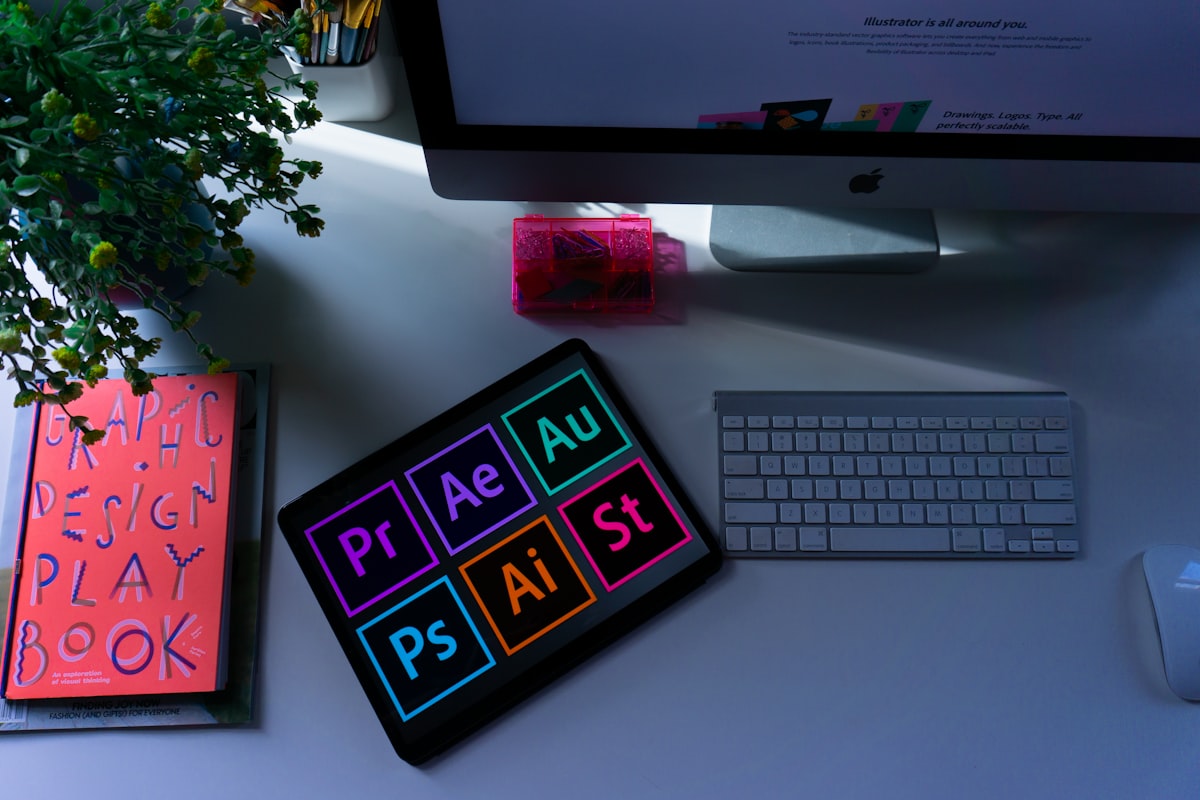
Adobe After Effects: The industry standard for creating complex animations. Motion designers use After Effects to design Lottie animations, prototype scroll sequences, and explore creative concepts before implementation. The Bodymovin plugin exports After Effects compositions as Lottie JSON files compatible with Webflow.
Figma with Motion Plugins: Figma's growing animation capabilities make it useful for prototyping Webflow interactions. Plugins like Figmotion and Motion allow designers to create animation previews directly within Figma, facilitating faster stakeholder approval before Webflow implementation.
Rive: A dedicated real-time animation tool that produces lightweight, interactive animations. Rive's state machine system enables complex interactive behaviors without coding, making it increasingly popular for Webflow projects requiring user-responsive motion.
LottieFiles: A platform for managing, testing, and optimizing Lottie animations. Motion designers use LottieFiles to preview animations across devices, optimize file sizes, and share previews with clients and developers before integration.
GSAP (GreenSock): While primarily a developer tool, motion designers who understand GSAP's capabilities can design more effectively within its strengths—timeline-based sequencing, ScrollTrigger-driven animations, and physics-based easing.
Spline: A 3D design tool that exports web-ready 3D scenes. Motion designers use Spline to create 3D elements—floating product renders, interactive 3D icons, immersive backgrounds—that integrate into Webflow through embed code. 3D motion in Webflow is a growing trend with 90% year-over-year growth in adoption.
Building a Motion Design Portfolio for Webflow Work
A strong portfolio is the single most important factor in landing Webflow motion design work. Your portfolio should demonstrate both creative quality and technical implementation knowledge.
Include these elements:
- Video recordings of your animations in context. Screen recordings showing animations on live Webflow sites are more compelling than isolated animation files. Use tools like CleanShot X or Loom to capture smooth 60fps recordings.
- Before/after comparisons. Show the static design alongside the animated version to demonstrate the impact of your motion work. Side-by-side videos are particularly effective for communicating value to non-designer stakeholders.
- Case studies with metrics. Whenever possible, include engagement data: "Added scroll-triggered animations to product pages, increasing average session duration by 34% and reducing bounce rate by 18%." Data-driven case studies are 3x more likely to generate client inquiries than portfolios without metrics.
- Technical breakdowns. Show your process: the After Effects composition, the Lottie export settings, the Webflow interaction panel configuration. Developers reviewing your portfolio want to see that you understand implementation constraints.
- Range of animation types. Include examples of micro-interactions, page transitions, scroll-based storytelling, Lottie integrations, and GSAP-powered sequences to demonstrate versatility.
Host your portfolio on Webflow itself. Building your portfolio site in Webflow with excellent animations proves your skills more convincingly than any other platform choice. It demonstrates that you understand the production environment where your work will live.
Demand Trends for Motion Design in Webflow
Several market forces are accelerating demand for Webflow motion designers in 2026 and beyond.
Brand differentiation pressure: As Webflow templates and AI-generated designs become more accessible, custom motion design is one of the few remaining differentiators for premium websites. Brands invest in animation to stand out in increasingly template-saturated markets. A 2025 Awwwards study found that 92% of award-winning websites featured professional motion design, compared to 45% of average commercial websites.
Webflow's expanding interaction capabilities: Each Webflow update adds more animation features, from improved easing options to new trigger types. These features make Webflow-native motion design more powerful, increasing demand for specialists who can maximize these capabilities.
Performance-conscious animation: Google's Core Web Vitals requirements force teams to replace heavy video backgrounds and GIF animations with lightweight alternatives like Lottie and CSS animations. Motion designers who understand performance optimization are essential for maintaining both visual quality and technical performance.
Conversion rate optimization: Data consistently shows that strategic animation improves conversion rates. Animated CTAs convert 12-20% higher than static alternatives. Scroll-triggered content reveals increase content consumption by 25%. These measurable business outcomes justify dedicated motion design investment.
Enterprise Webflow adoption: As larger companies adopt Webflow for their marketing sites, they bring enterprise-level expectations for animation quality. These companies have budgets for dedicated motion designers, creating new full-time positions that did not previously exist in the Webflow ecosystem.

How to Become a Webflow Motion Designer
The path to becoming a Webflow motion designer combines traditional animation skills with platform-specific knowledge.
Step 1: Master animation fundamentals. Study the 12 principles of animation (Disney), learn timing and spacing, understand easing curves, and develop an eye for purposeful motion. These principles apply regardless of the tool or platform.
Step 2: Learn After Effects and Lottie workflow. After Effects is the foundation for most web animation work. Complete a structured course (School of Motion, Motion Design School), then practice creating web-appropriate animations—short loops, icon animations, scroll-sequence illustrations—and exporting them as Lottie files.
Step 3: Master Webflow's interaction system. Complete Webflow University's interactions courses, then rebuild complex animations you admire from award-winning websites. Understanding what Webflow can do natively is critical for efficient implementation decisions.
Step 4: Learn GSAP fundamentals. You do not need to become a JavaScript developer, but understanding GSAP's ScrollTrigger, timeline, and tween methods allows you to design animations that developers can implement faithfully. Familiarity with GSAP expands your creative range significantly.
Step 5: Build 3-5 portfolio projects. Create animated Webflow sites that showcase different animation types: a Lottie-heavy storytelling page, a micro-interaction-rich SaaS landing page, and a scroll-driven portfolio site. These projects prove your capability across the motion design spectrum for Webflow.
Frequently Asked Questions About Motion Design for Webflow
What does a motion designer do on a Webflow project?
Motion designers create animations and interactive elements for Webflow websites, including scroll-triggered effects, Lottie animations, hover interactions, page transitions, and GSAP-powered sequences. They work alongside Webflow developers to implement purposeful motion that improves user engagement, communicates brand personality, and drives conversions. Their work spans from micro-interactions on buttons to full-page animated storytelling sequences.
How much do Webflow motion designers earn?
Full-time Webflow motion designers earn $55,000-$130,000 depending on experience. Junior specialists (0-2 years) earn $55,000-$75,000, mid-level (2-4 years) earn $75,000-$100,000, and senior motion designers earn $100,000-$130,000. Freelance rates range from $40-$150 per hour. Project-based pricing for homepage animation packages ranges from $3,000-$8,000, with full-site animation packages from $8,000-$25,000.
What tools do Webflow motion designers use?
The core toolkit includes Adobe After Effects for creating complex animations, Figma for motion prototyping, Rive for real-time interactive animations, LottieFiles for managing Lottie exports, and GSAP knowledge for advanced web animations. Additional tools include Spline for 3D motion, Principle for interaction prototyping, and CleanShot X for portfolio recordings. Webflow's built-in interaction panel is the primary implementation platform.
Do motion designers need to know how to code?
Motion designers do not need to write production code, but understanding CSS animation properties, GSAP syntax, and JavaScript basics significantly improves their effectiveness. Knowing what is technically feasible prevents designing animations that cannot be implemented efficiently. Most successful Webflow motion designers have working knowledge of CSS transforms, GSAP timelines, and Lottie integration methods without being full developers.
Why are motion designers in such high demand for Webflow projects?
Three factors drive demand: brand differentiation (animation is a key differentiator as templates become more accessible), proven conversion impact (animated CTAs convert 12-20% higher than static ones), and Webflow's expanding capabilities (each platform update adds more animation features). Additionally, enterprise companies adopting Webflow bring larger budgets and higher animation quality expectations, creating new full-time positions in the ecosystem.
How do I transition from general motion design to Webflow-specific work?
Start by mastering Webflow's native interaction system through Webflow University courses. Then learn the Lottie export workflow from After Effects to Webflow. Build 3-5 animated Webflow projects for your portfolio, focusing on different animation types (micro-interactions, scroll animations, Lottie integration). Finally, familiarize yourself with GSAP's ScrollTrigger plugin to understand advanced animation possibilities. Most motion designers complete this transition in 2-3 months of focused learning.
Performance Optimization for Webflow Animations
One of the most critical skills separating amateur motion designers from professionals is performance awareness. Beautiful animations that cause layout shifts, increase load times, or drop frame rates below 60fps create worse user experiences than no animation at all.
GPU-Accelerated Properties
The foundation of performant web animation is using CSS properties that trigger GPU compositing rather than CPU-intensive layout recalculations. Motion designers must prioritize transform (translate, scale, rotate) and opacity for all animations. These properties are composited on the GPU and maintain 60fps even on low-powered mobile devices. Avoid animating properties like width, height, top, left, margin, or padding, which trigger expensive layout recalculations. A single layout-triggering animation can reduce frame rates by 40-60% on mobile devices, according to Chrome DevTools performance profiling data.
Animation Budget Framework
Professional motion designers work within an "animation budget" for each page. This framework limits the performance impact of motion while maintaining visual quality. A practical animation budget includes: maximum 3-4 simultaneously animating elements on screen, total animation JavaScript under 50KB (GSAP core is approximately 30KB), Lottie files under 150KB each, and no more than 2 scroll-triggered animation zones per viewport height. Teams that implement animation budgets report 92% fewer performance-related client complaints.
Reduced Motion Accessibility
Approximately 35% of users experience motion sensitivity, and the prefers-reduced-motion media query allows websites to respect user preferences. Motion designers must design two versions of every animation: the full version for standard users and a reduced version (static or minimal transition) for users who have enabled reduced motion settings in their operating system. Webflow's conditional visibility combined with custom CSS media queries enables this dual-track approach. Failing to address motion accessibility exposes clients to ADA compliance risks and excludes a significant user segment.
The Business Case for Hiring a Motion Designer
Companies considering a motion design investment need clear ROI data to justify the expense. The business case is strengthening as animation becomes a measurable conversion factor.
Conversion impact: Strategically animated landing pages consistently outperform static alternatives. Animated hero sections increase time-on-page by 20-35%. Animated CTAs improve click-through rates by 12-20%. Interactive product demonstrations reduce bounce rates by 15-25%. These improvements compound across high-traffic pages, generating significant revenue impact. For an e-commerce site with 100,000 monthly visitors and a 2% conversion rate, a 15% bounce rate reduction translates to approximately 3,000 additional product page views per month.
Brand perception: In competitive markets, animation quality signals brand sophistication. A 2025 study by Bain & Company found that users perceive websites with professional animation as 40% more trustworthy and 55% more innovative than static websites. For SaaS companies, agencies, and consumer brands, this perception gap directly influences purchase decisions and brand loyalty.
Content engagement: Animated data visualizations, interactive infographics, and motion-enhanced storytelling increase content consumption by 30-45% compared to static content formats. For content-driven businesses, this engagement improvement means more time-on-site, more pages-per-session, and stronger SEO signals—all of which compound into measurable business value.
The most effective approach for companies with moderate budgets is hiring a motion designer on a per-project basis rather than full-time. A $5,000-$15,000 investment in animation for key conversion pages often delivers 200-400% ROI within the first 6 months based on conversion improvements alone. Companies spending over $30,000 monthly on paid advertising see even higher returns because animation improvements multiply the effectiveness of every advertising dollar spent.